Nginx是一个高性能的HTTP和反向代理服务器,占用资源少,并发能力强。

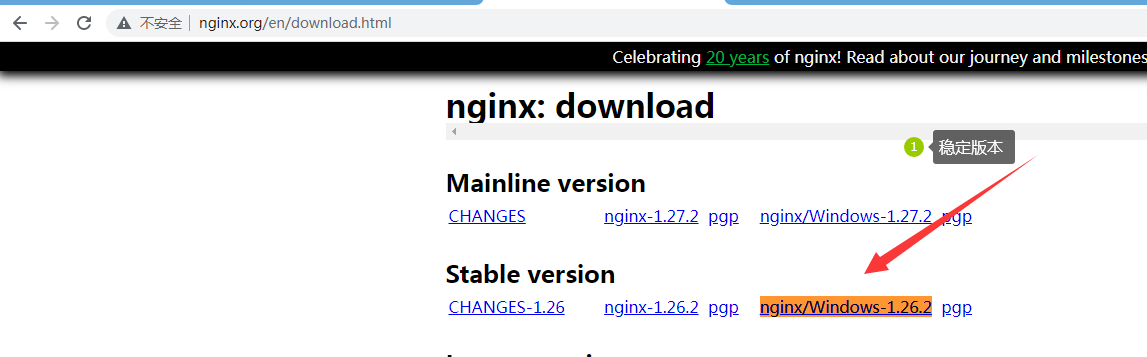
下载地址: https://nginx.org/en/download.html
# 启动Nginx: 进入nginx目录 cmd >> start nginx
# 退出Nginx: nginx -s quit
# 测试Nginx配置: 进入nginx目录 cmd >> nginx -t
# 重启Nginx配置: 进入nginx目录 cmd >> nginx -s reload
# 结束所有nginx进程 cmd >> taskkill /F /IM nginx.exe
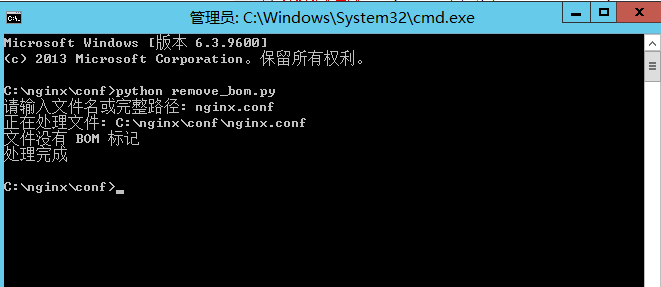
注意:nginx -t 在测试nginx是否配置成功的时候,有时提示不成功,那是nginx.conf配置文件有BOM,删除BOM就可以
nginx反向代理配置
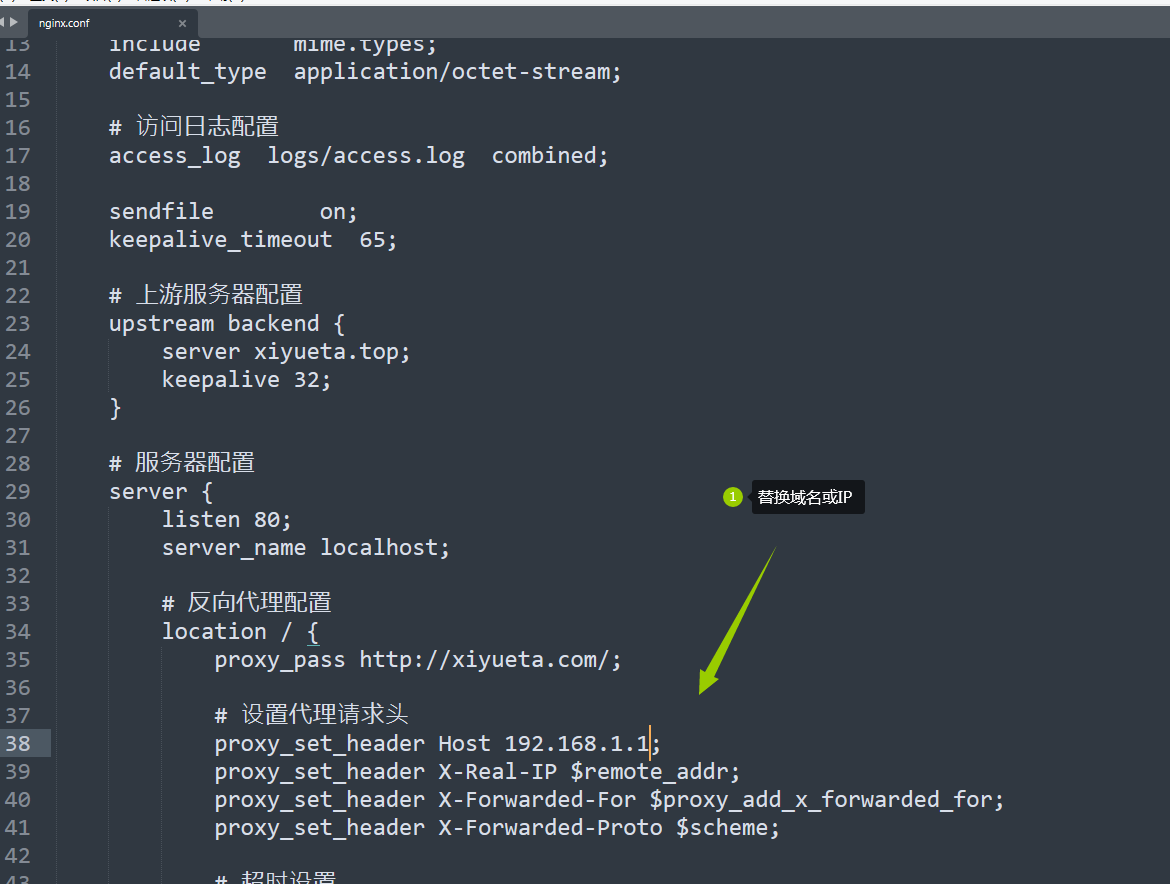
修改 nginx\conf\nginx.conf 文件里的 proxy_pass 对应到网址
# user  nobody;
worker_processes  1;

# 错误日志配置
error_log  logs/error.log;
pid        logs/nginx.pid;

events {
    worker_connections  1024;
}

http {
    include       mime.types;
    default_type  application/octet-stream;

    # 访问日志配置
    access_log  logs/access.log  combined;

    sendfile        on;
    keepalive_timeout  65;

    # 上游服务器配置
    upstream backend {
        server xiyueta.top;
        keepalive 32;
    }

    # 服务器配置
    server {
        listen 80;
        server_name localhost;

        # 反向代理配置
        location / {
            proxy_pass http://xiyueta.com/;

            # 设置代理请求头
            proxy_set_header Host 192.168.1.1;
            proxy_set_header X-Real-IP $remote_addr;
            proxy_set_header X-Forwarded-For $proxy_add_x_forwarded_for;
            proxy_set_header X-Forwarded-Proto $scheme;

            # 超时设置
            proxy_connect_timeout 300;
            proxy_send_timeout 300;
            proxy_read_timeout 300;

            # 缓冲区设置
            proxy_buffer_size 16k;
            proxy_buffers 4 64k;
            proxy_busy_buffers_size 128k;
            proxy_temp_file_write_size 128k;

            # 错误处理
            proxy_next_upstream error timeout invalid_header http_500 http_502 http_503 http_504;
        }

        # 错误页面配置
        error_page 500 502 503 504 /50x.html;
        location = /50x.html {
            root html;
        }
    }
}
同时设置多个代理
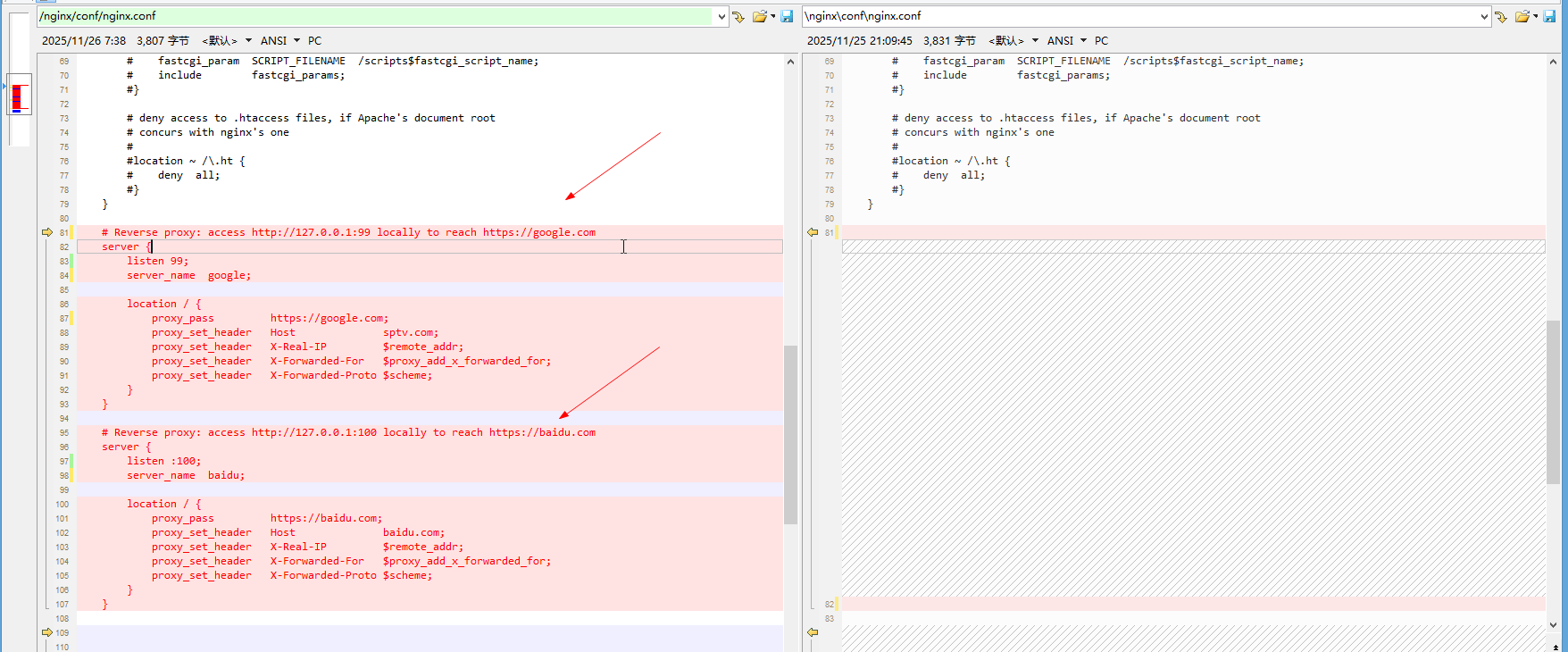
    # Reverse proxy: access http://127.0.0.1:99 locally to reach https://google.com
    server {
        listen 99;
        server_name  google;

        location / {
            proxy_pass         https://google.com;
            proxy_set_header   Host              sptv.com;
            proxy_set_header   X-Real-IP         $remote_addr;
            proxy_set_header   X-Forwarded-For   $proxy_add_x_forwarded_for;
            proxy_set_header   X-Forwarded-Proto $scheme;
        }
    }

    # Reverse proxy: access http://127.0.0.1:100 locally to reach https://baidu.com
    server {
        listen :100;
        server_name  baidu;

        location / {
            proxy_pass         https://baidu.com;
            proxy_set_header   Host              baidu.com;
            proxy_set_header   X-Real-IP         $remote_addr;
            proxy_set_header   X-Forwarded-For   $proxy_add_x_forwarded_for;
            proxy_set_header   X-Forwarded-Proto $scheme;
        }
    }
import os
import codecs
import sys

def remove_bom(file_path):
    """
    移除文件的 BOM 标记
    """
    try:
        # 如果只提供文件名,使用当前目录
        if not os.path.dirname(file_path):
            file_path = os.path.join(os.getcwd(), file_path)

        # 检查文件是否存在
        if not os.path.exists(file_path):
            print(f"错误: 文件 '{file_path}' 不存在")
            return False

        print(f"正在处理文件: {file_path}")

        # 读取文件内容
        with open(file_path, 'rb') as f:
            content = f.read()

        # 检查是否有 BOM
        if content.startswith(codecs.BOM_UTF8):
            print("检测到 BOM 标记,正在移除...")

            # 移除 BOM 并写回文件
            with open(file_path, 'wb') as f:
                f.write(content[len(codecs.BOM_UTF8):])
            print("BOM 标记已成功移除")
            return True
        else:
            print("文件没有 BOM 标记")
            return True

    except Exception as e:
        print(f"处理文件时出错: {str(e)}")
        return False

def main():
    # 如果命令行提供了文件路径,使用它
    if len(sys.argv) > 1:
        file_path = sys.argv[1]
    else:
        # 否则请求用户输入
        file_path = input("请输入文件名或完整路径 (默认为 nginx.conf): ").strip('"')  # 移除可能的引号

        # 如果输入为空,则使用默认值 nginx.conf
        if not file_path:
            file_path = "nginx.conf"
            print(f"使用默认文件: {file_path}")

    # 处理文件
    if remove_bom(file_path):
        print("处理完成")
    else:
        print("处理失败")

if __name__ == "__main__":
    main()