Cursor旨在让您的工作效率非常高,是使用AI进行编码的最佳方式。
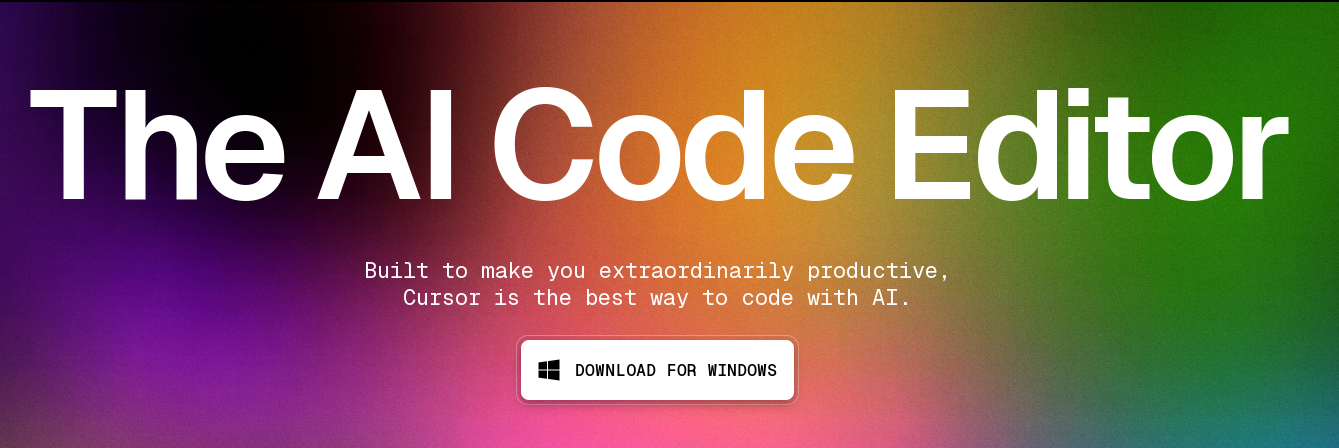
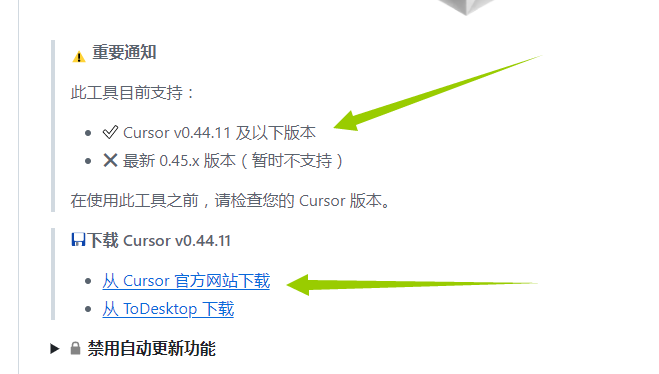
下载网址:https://cursor.com/ 点击运行exe文件
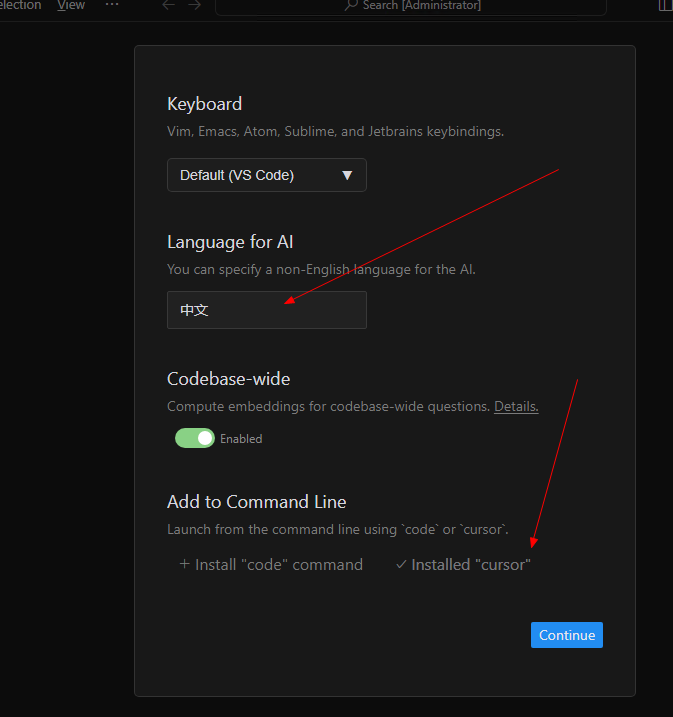
安装时AI回复语言设置为"中文",Command安装cursor
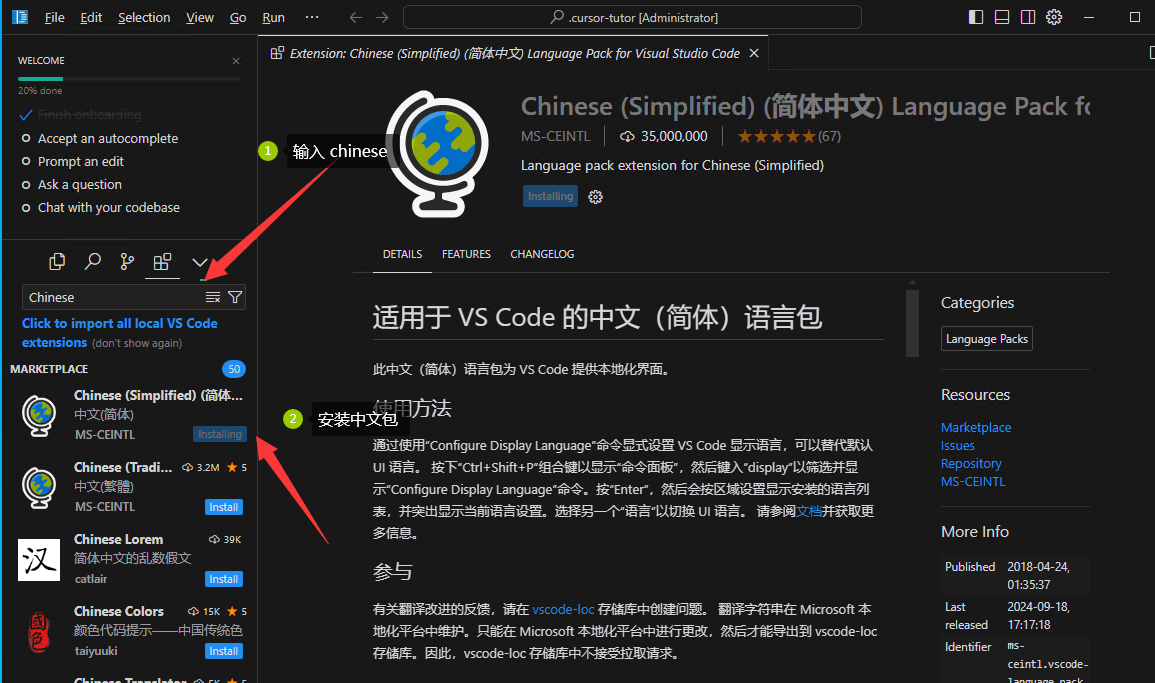
 安装中文插件,搜索 Chinese
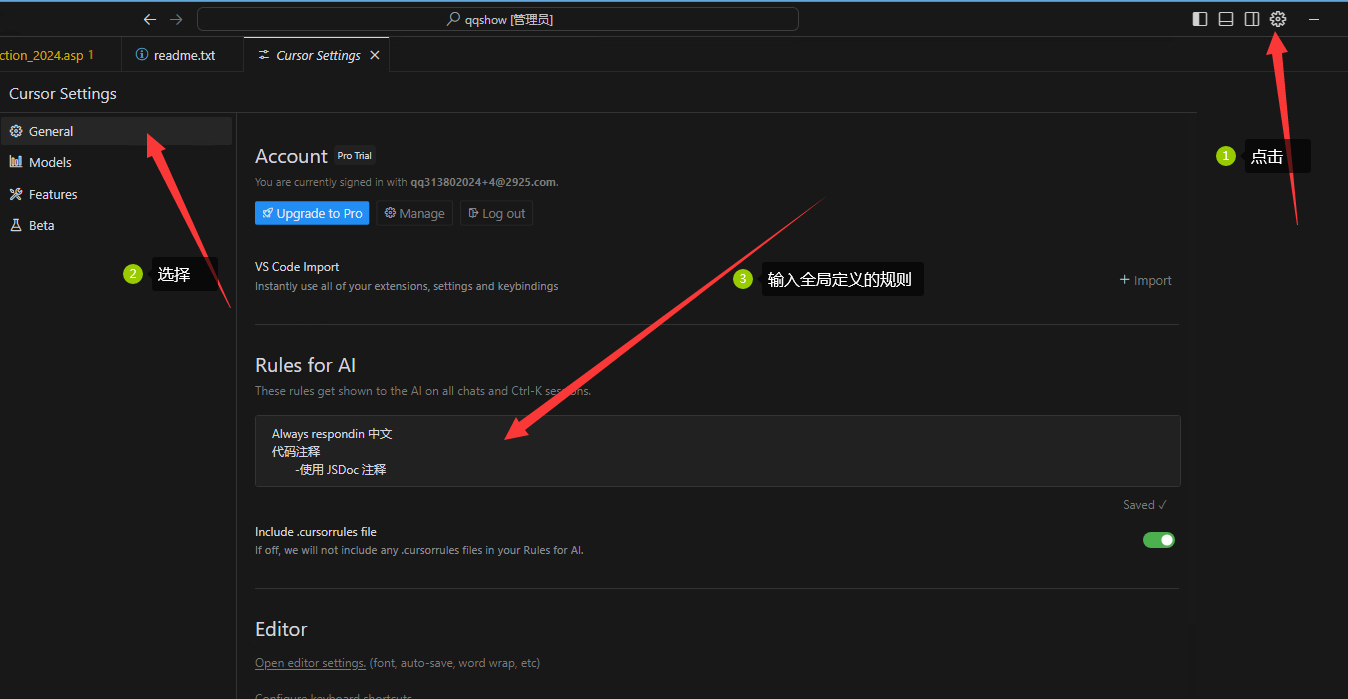
 设置全局规则
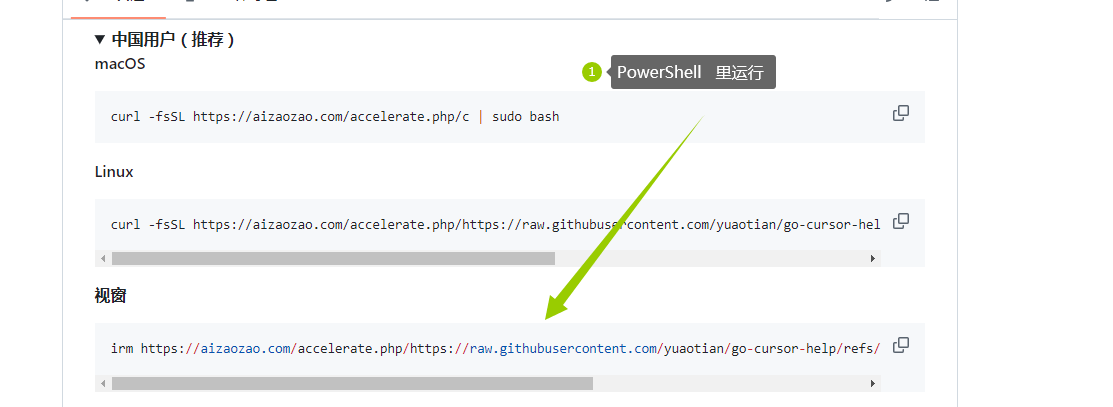
 PowerShell里运行下面代码
irm https://aizaozao.com/accelerate.php/https://raw.githubusercontent.com/yuaotian/go-cursor-help/refs/heads/master/scripts/run/cursor_win_id_modifier.ps1 | iex
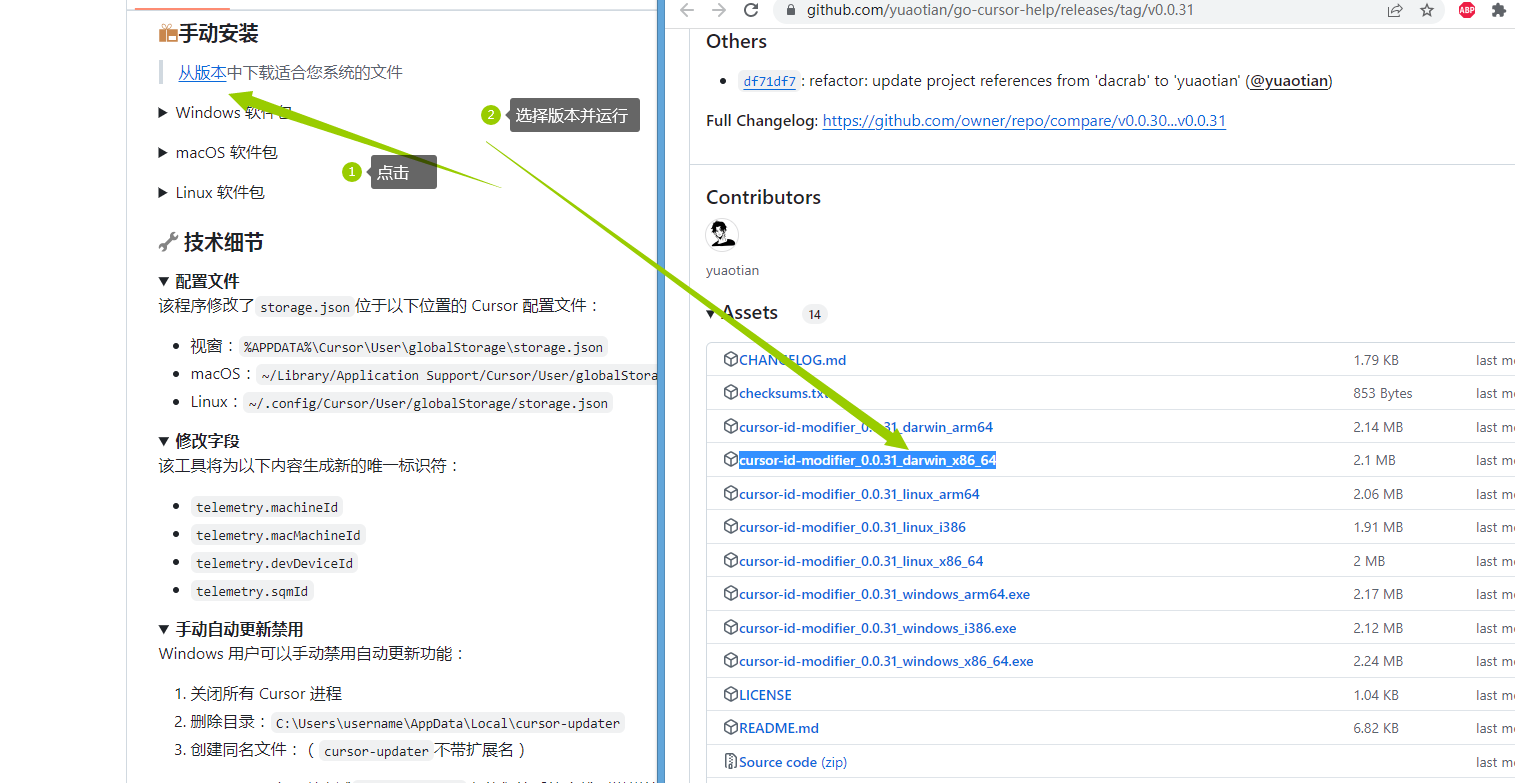
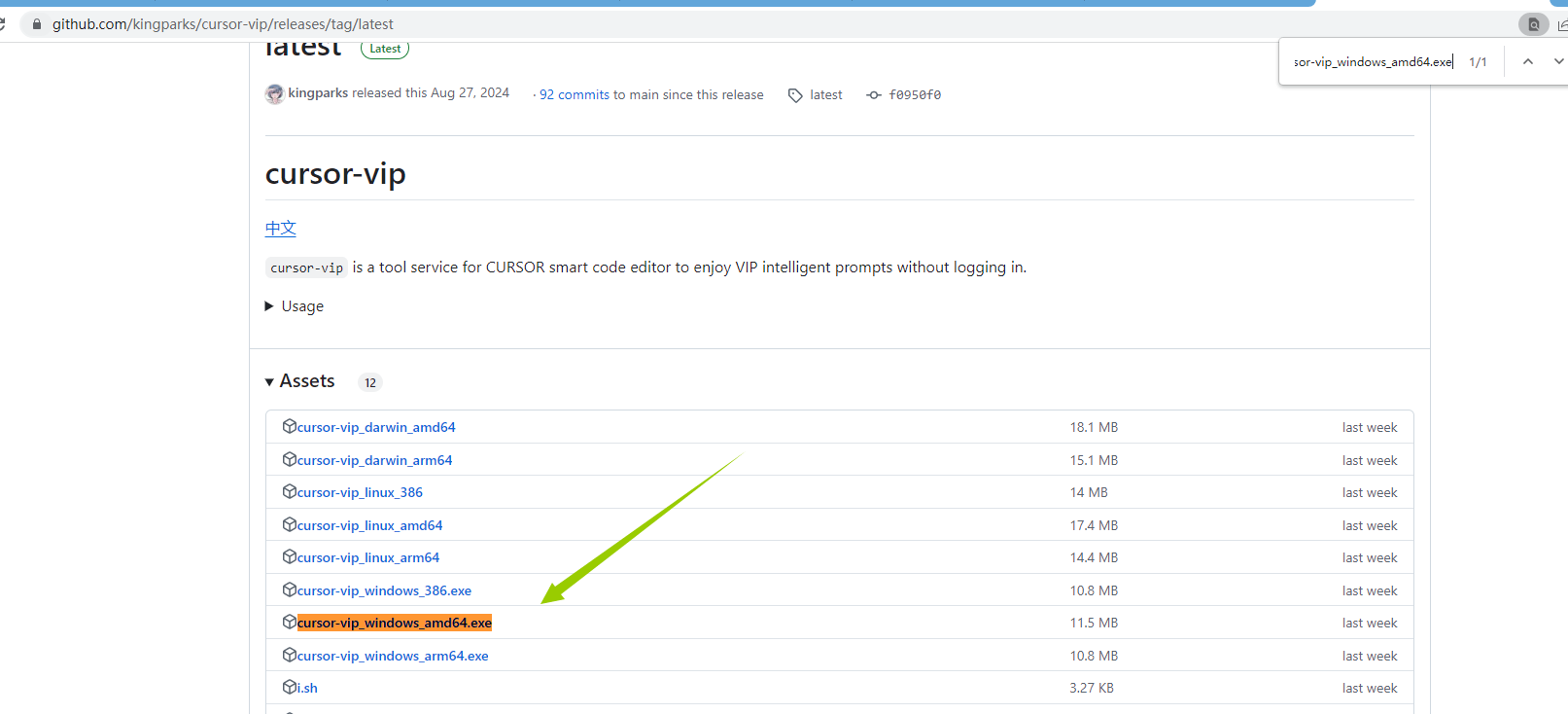
 手动安装配置 https://github.com/yuaotian/go-cursor-help/releases/tag/v0.0.31
import os
import json
import uuid
from datetime import datetime
import shutil
import win32api
import win32con
import time

# 配置文件路径,适配 Windows 的路径格式
storage_file = os.path.expanduser(r"C:\Users\Administrator\AppData\Roaming\Cursor\User\globalStorage\storage.json")
# 检查文件属性
def check_file_attributes(file_path):
    attributes = win32api.GetFileAttributes(file_path)
    is_readonly = attributes & win32con.FILE_ATTRIBUTE_READONLY
    return is_readonly
# 设置文件属性
def set_file_attributes(file_path, readonly=True):
    try:
        if readonly:
            win32api.SetFileAttributes(file_path, win32con.FILE_ATTRIBUTE_READONLY)
        else:
            win32api.SetFileAttributes(file_path, win32con.FILE_ATTRIBUTE_NORMAL)

        # 等待一下确保属性被应用
        time.sleep(0.1)

        # 验证属性是否被正确设置
        current_state = check_file_attributes(file_path)
        if current_state != readonly:
            print(f"警告:文件属性设置失败!预期:{'只读' if readonly else '普通'}, 实际:{'只读' if current_state else '普通'}")
            return False
        return True
    except Exception as e:
        print(f"设置文件属性时出错: {str(e)}")
        return False

# 生成随机 ID
def generate_random_id():
    return uuid.uuid4().hex

# 获取新的 ID(从命令行参数或自动生成)
def get_new_id():
    import sys
    return sys.argv[1] if len(sys.argv) > 1 else generate_random_id()

# 创建备份
def backup_file(file_path):
    if os.path.exists(file_path):
        backup_path = f"{file_path}.backup_{datetime.now().strftime('%Y%m%d_%H%M%S')}"
        shutil.copy(file_path, backup_path)
        print(f"已创建备份文件: {backup_path}")
    else:
        print("未找到需要备份的文件,跳过备份步骤。")

# 更新或创建 JSON 文件
def update_machine_id(file_path, new_id):
    # 确保目录存在
    os.makedirs(os.path.dirname(file_path), exist_ok=True)

    # 检查文件是否存在,如果不存在则创建
    if not os.path.exists(file_path):
        with open(file_path, "w", encoding="utf-8") as f:
            json.dump({}, f)

    # 检查初始文件属性
    initial_readonly = check_file_attributes(file_path)
    print(f"初始文件属性: {'只读' if initial_readonly else '普通'}")

    if initial_readonly:
        # 如果是只读,更改为可写
        if not set_file_attributes(file_path, readonly=False):
            print("无法移除只读属性,操作终止")
            return
        print("文件已从只读模式更改为可写模式")
    try:
        # 读取 JSON 数据
        with open(file_path, "r", encoding="utf-8") as f:
            try:
                data = json.load(f)
            except json.JSONDecodeError:
                data = {}

        # 更新或添加 machineId
        data["telemetry.machineId"] = new_id

        # 写回更新后的 JSON 文件
        with open(file_path, "w", encoding="utf-8") as f:
            json.dump(data, f, indent=4, ensure_ascii=False)

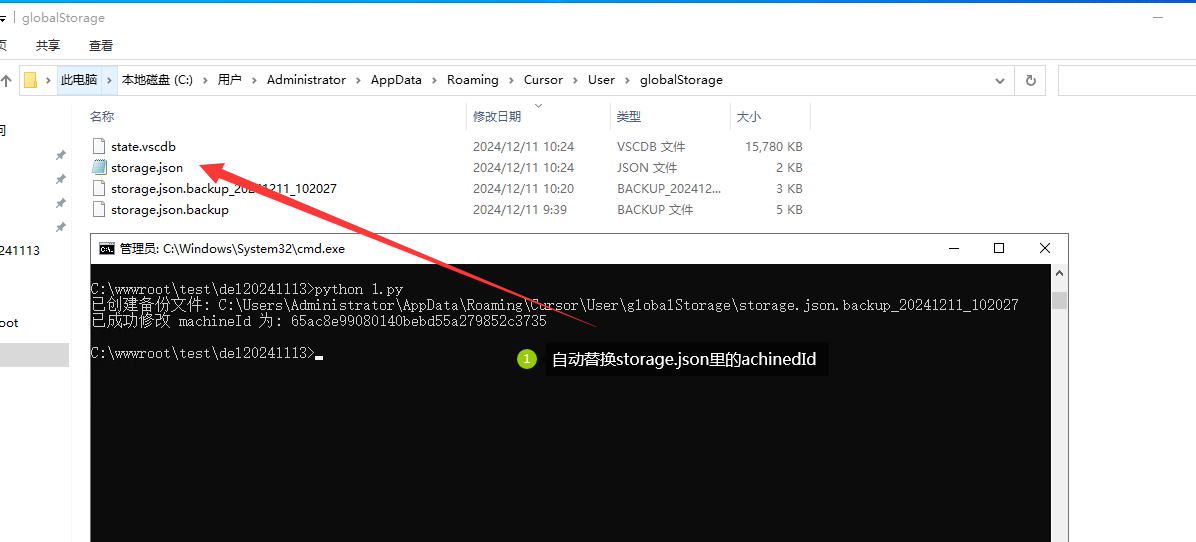
        print(f"已成功修改 machineId 为: {new_id}")
    finally:
        # 无论初始状态如何,都将文件设置为只读
        if set_file_attributes(file_path, readonly=True):
            print("文件已设置为只读模式")
        else:
            print("警告:无法将文件设置为只读模式")

        # 再次验证文件属性
        final_state = check_file_attributes(file_path)
        print(f"最终文件属性: {'只读' if final_state else '普通'}")
# 主函数
if __name__ == "__main__":
    new_id = get_new_id()

    # 创建备份
    backup_file(storage_file)

    # 更新 JSON 文件
    update_machine_id(storage_file, new_id)

    # 等待用户确认
    input("按回车键退出...")
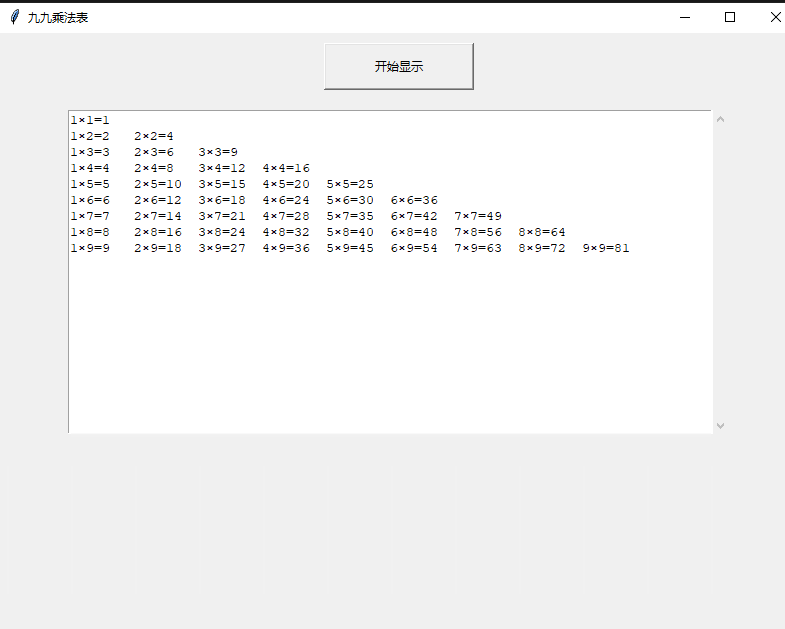
#!/usr/bin/env python3
# -*- coding: utf-8 -*-

"""
@description 九九乘法表GUI程序
@author Claude
"""

import tkinter as tk
from tkinter import scrolledtext

class MultiplicationTableGUI:
    """
    @class 九九乘法表的图形界面类
    """
    def __init__(self, root):
        self.root = root
        self.root.title("九九乘法表")
        self.root.geometry("800x600")

        # 设置窗口在屏幕中间显示
        # 获取屏幕宽度和高度
        screen_width = root.winfo_screenwidth()
        screen_height = root.winfo_screenheight()

        # 计算窗口位置的x, y坐标
        x = (screen_width - 800) // 2
        y = (screen_height - 600) // 2

        # 设置窗口位置
        self.root.geometry(f"800x600+{x}+{y}")

        # 创建开始按钮
        self.start_button = tk.Button(
            root,
            text="开始显示",
            command=self.show_table,
            width=20,
            height=2
        )
        self.start_button.pack(pady=10)

        # 调整文本框大小和字体
        self.text_area = scrolledtext.ScrolledText(
            root,
            width=80,
            height=20,
            font=('Courier New', 10)
        )
        self.text_area.pack(padx=10, pady=10)

    def show_table(self):
        """
        @method 显示九九乘法表
        """
        self.text_area.delete(1.0, tk.END)
        for i in range(1, 10):
            line = ""
            for j in range(1, i + 1):
                line += f"{j}×{i}={i*j:<4}"
            self.text_area.insert(tk.END, line + "\n")

def main():
    """
    @method 主函数
    """
    root = tk.Tk()
    app = MultiplicationTableGUI(root)
    root.mainloop()

if __name__ == "__main__":
main() MCP(Model Context Protocol)是一个用于AI助手与各种工具和服务进行交互的协议框架,通过配置不同的服务器来实现特定功能。
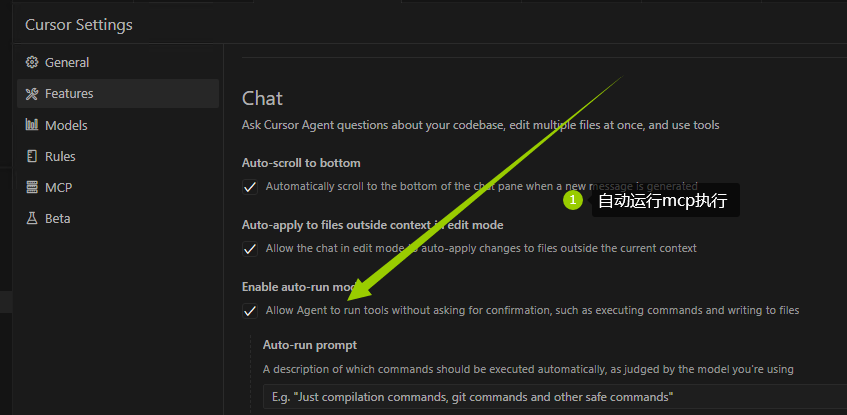
开启自动运行mcp动作
 mcp下载 https://github.com/punkpeye/awesome-mcp-servers
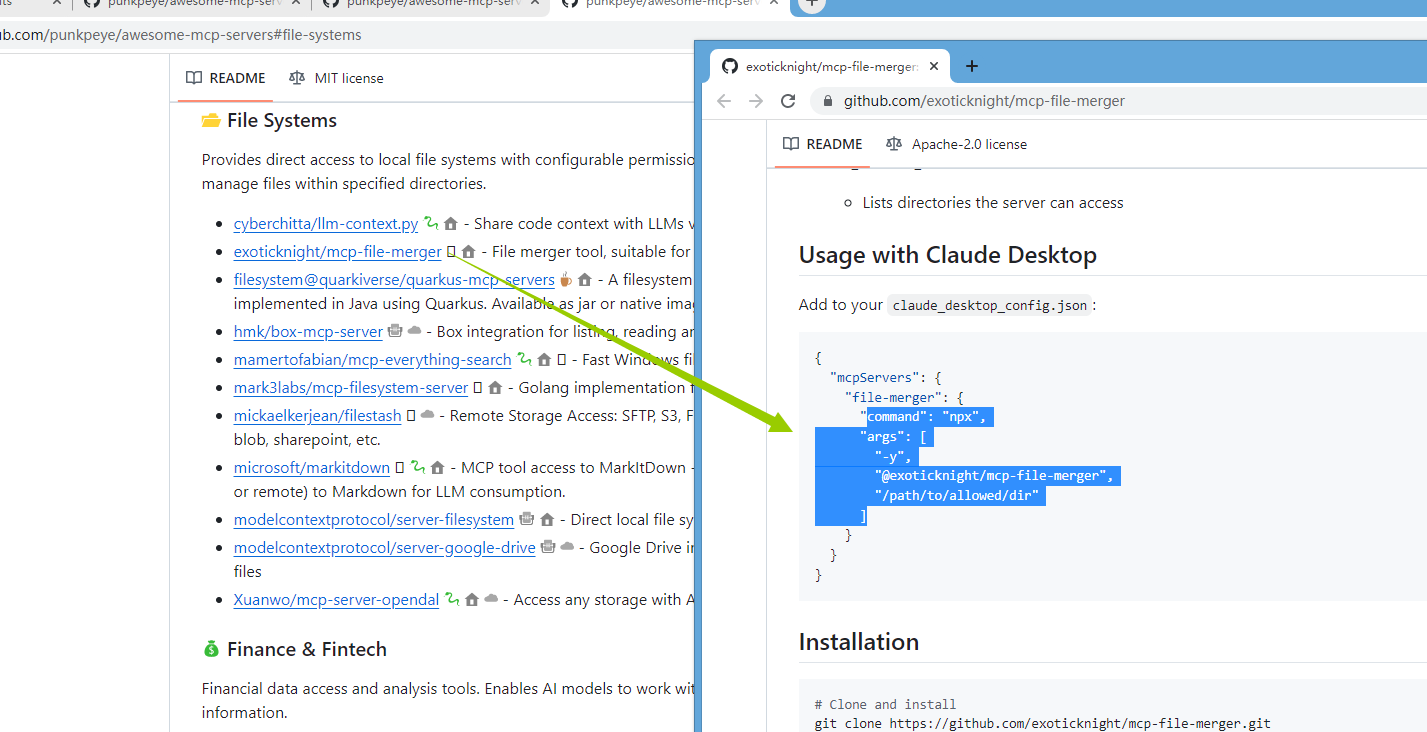 mcp 运行正确显示
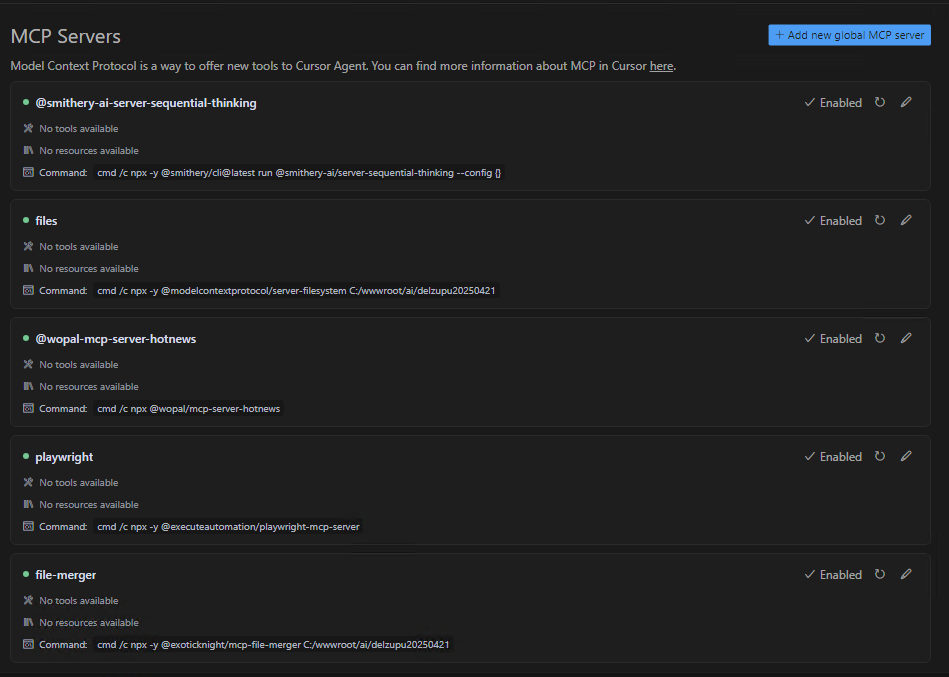
{
    "mcpServers": {
      "@smithery-ai-server-sequential-thinking": {
        "command": "cmd",
        "args": [
          "/c",
          "npx",
          "-y",
          "@smithery/cli@latest",
          "run",
          "@smithery-ai/server-sequential-thinking",
          "--config",
          "{}"
        ]
      },
      "files": {
        "command": "cmd",
        "args": [
          "/c",
          "npx",
          "-y",
          "@modelcontextprotocol/server-filesystem",
          "C:/wwwroot/ai/delzupu20250421"
        ]
      },
        "@wopal-mcp-server-hotnews": {
          "command": "cmd",
          "args": [
            "/c",
            "npx",
          "@wopal/mcp-server-hotnews"
          ]
      },
      "playwright": {
          "command": "cmd",
          "args": [
            "/c",
            "npx",
            "-y",
            "@executeautomation/playwright-mcp-server"
          ]
      },
      "file-merger": {
        "command": "cmd",
        "args": [
          "/c",
          "npx",
          "-y",
          "@exoticknight/mcp-file-merger",
          "C:/wwwroot/ai/delzupu20250421"
        ]
      }
    }
  }
生成技巧:代码长需多次发送“继续”至生成结束,
cursor里选择 ask 模式,使用 claude-3.7-sonnet-thinking 模型,
你是一位资深全栈工程师,参考 ui_ux_design 设计一个【日记app】,模拟产品经理提出需求和信息架构,请自己构思好功能需求和界面,然后设计 UI/UX。
1、要高级有质感,遵守设计规范,注重UI细节。
2、请引入 tailwindcss CDN 来完成,而不是编写 style 样式,图片使用 unslash,界面中不要有滚动条出现。
3、给我所有页面的 html,写入到一个 *.html 中(为每个页面创建简单的mockup边框预览,横向排列)。
4、由于页面较多,你每完成一部分就让我来确认,一直持续到结束。
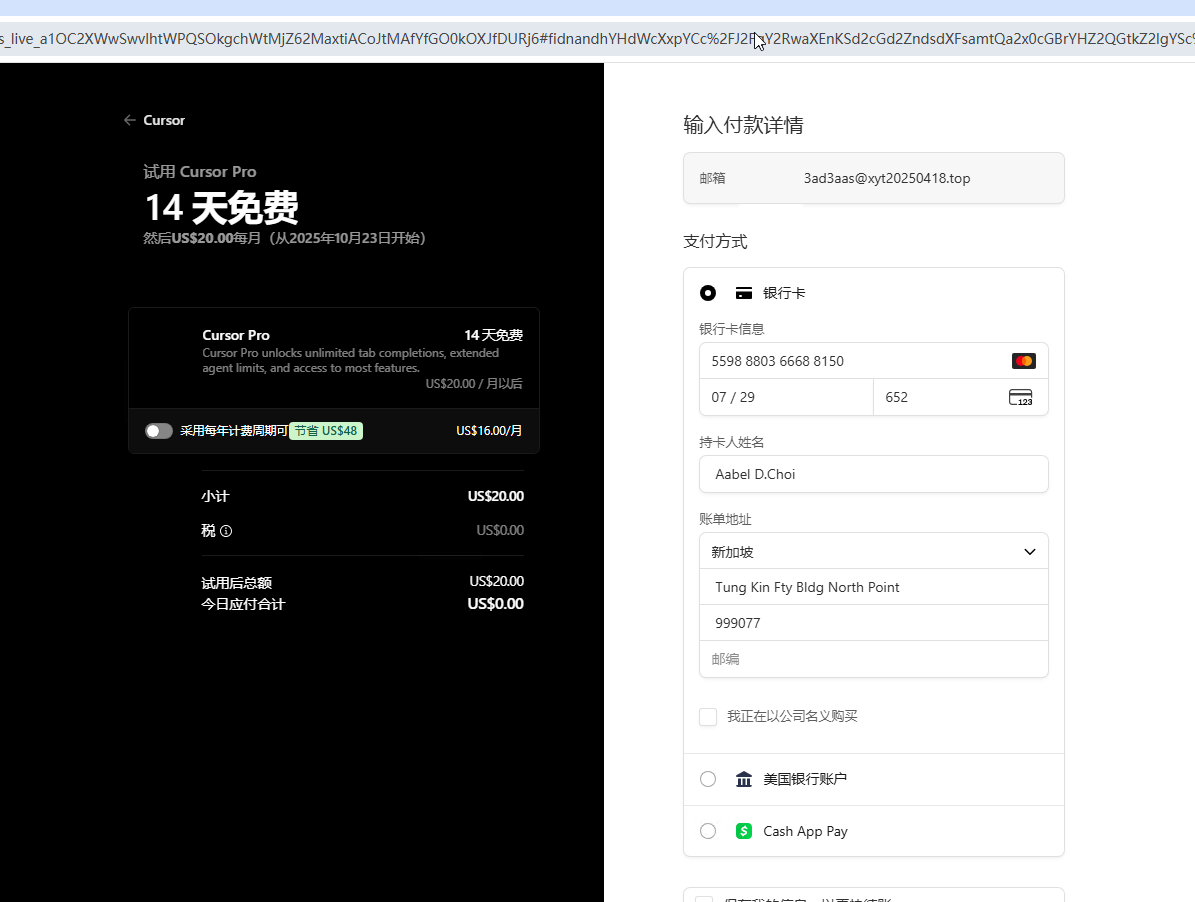
虚拟银行卡生成器
持卡人姓名:Aabel D.Choi
账单地址:新加坡
Tung Kin Fty Bldg North Point
999077
直接登录,输入一个新的邮件,用邮件接受验证码,然后返回再来一次接受验证码,因为第一次是注册的验证码,第二次接受的是登录的验证码,这样就避开了注册和注册需要手机验证。牛 B站视频教程
根据当前我们的对话,帮我写出.cursorrules ,并将项目文档写入README.md 文件中
清除索引方法
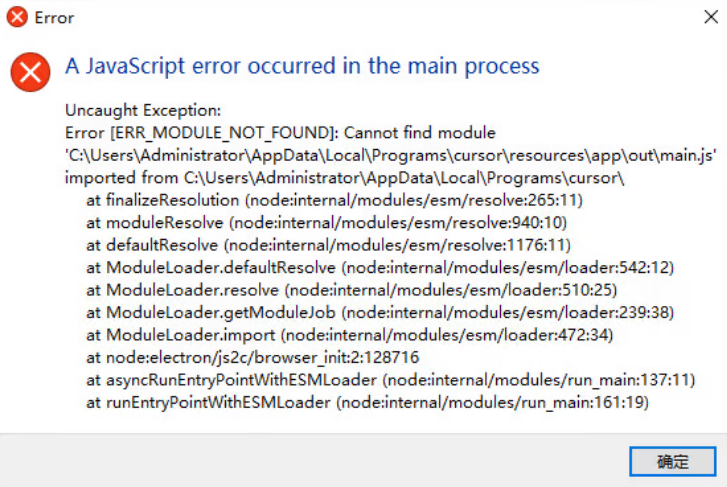
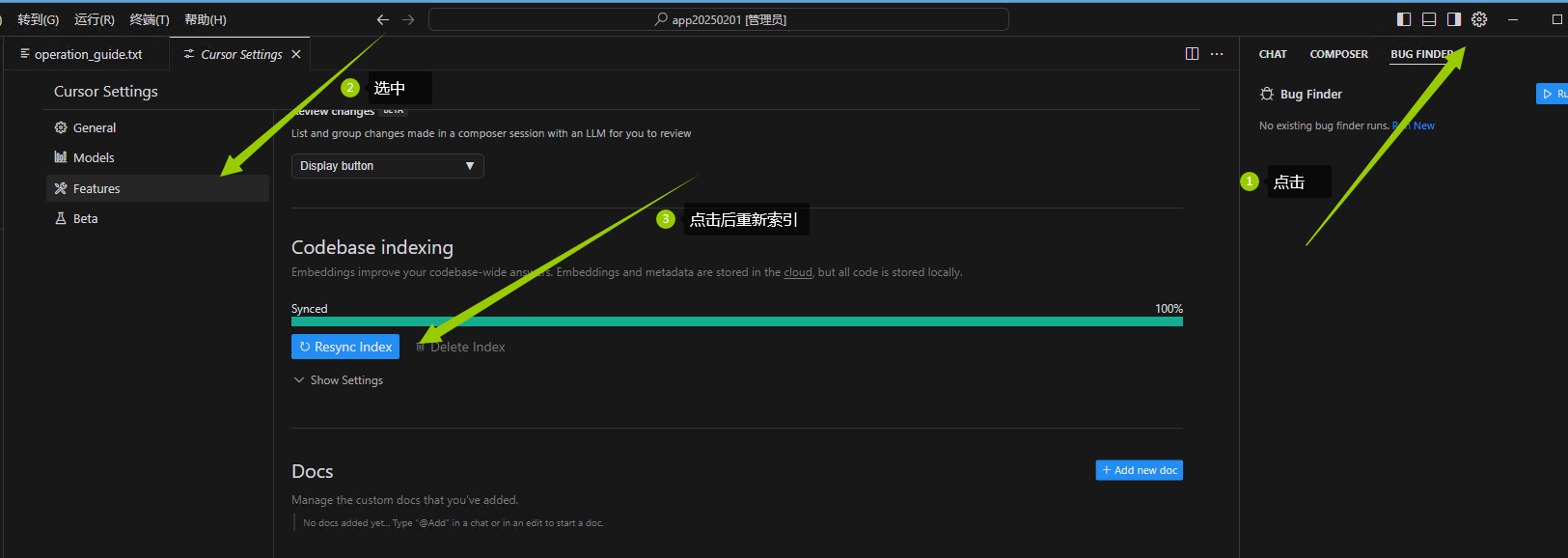 打开cursor出错时,PowerShell运行代码可以正常运行
irm https://aizaozao.com/accelerate.php/https://raw.githubusercontent.com/yuaotian/go-cursor-help/refs/heads/master/scripts/run/cursor_win_id_modifier.ps1 | iex
打开cursor出错时,PowerShell运行代码可以正常运行
irm https://aizaozao.com/accelerate.php/https://raw.githubusercontent.com/yuaotian/go-cursor-help/refs/heads/master/scripts/run/cursor_win_id_modifier.ps1 | iex
字节 AI 原生 IDE,免费中文编程,对标 Cursor
下载网址:https://www.trae.cn 点击运行exe文件